Changing User Names

This is a call for developers and system designers to allow user names to change while maintaining the user’s account integrity. There are many instances where someone’s name might change, but issues seems to disproportionately affect women.

At my work, when a woman gets married, her system login gets updated with her new last name. However, not all internal systems are capable of accepting an updated user name. This causes the user to have a new account, and thus no access to her old data.

This seem abundantly silly, easy to plan for, and necessary so as to be inclusive to anyone undergoing a name change whether due to marriage, divorce, or other personal reason.

The Twitter model is representative of how this should work. Users can at any time change their user names or email addresses instead of having to create a new account or go through some process of trying to combine accounts. Developers and designers, take note!

Screen shot of the Fishy UX Twitter account settings page
Twitter account settings screen

Geocaching.com App Advanced Search

Geocaching is one of my hobbies and I usually cache with just my iPhone using the official Geocaching.com app. Most of the time, I’m searching by location (find nearest caches) or by a cache’s specific ID. But occasionally, I want to narrow the results using the app’s Advanced Search feature.

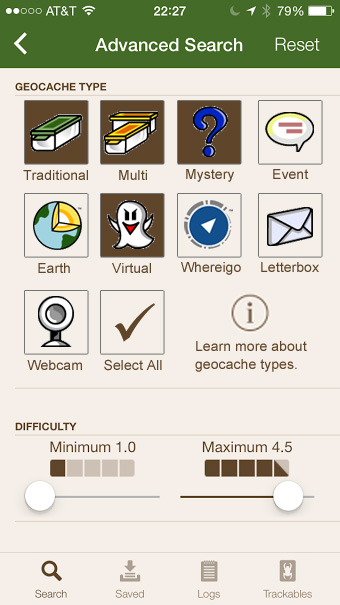
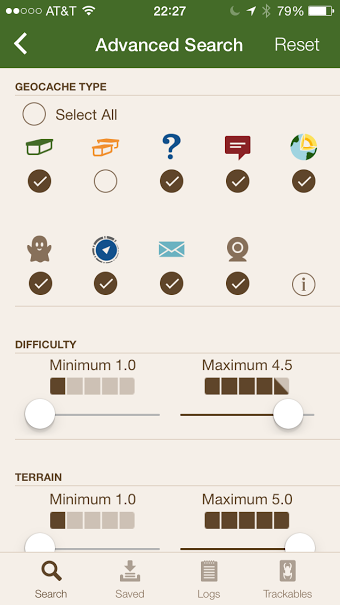
One of the advanced options is to narrow by cache type.

screen for the geocaching app advanced search show cache type and difficulty filters
Geocaching app advanced search screen

Issues with geocache type filter

  1. Use of radio buttons when the user can select multiple options. These should be check boxes.
  2. The hit area for each type is very small. I often have to hit the circle multiple times to get my selection to register.
  3. The select all/deselect all option is in a weird spot.
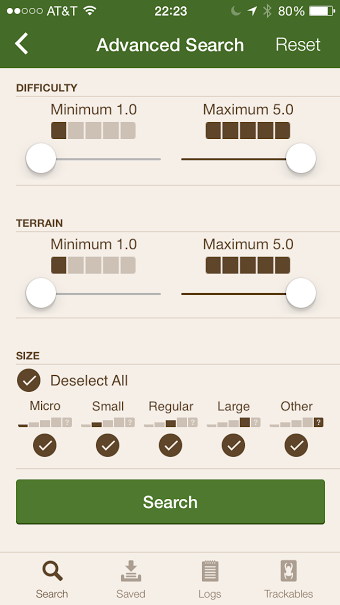
  4. It can be problematic to rely solely on icons because not everyone, especially newer cachers, know about all the types of caches. There is a little “information” icon but it has information about many additional cache types beyond the nine available in the app search. Other filters include labels.

    geocaching difficult and size filters with labels on the icons
    Filter options with labels

Design Recommendations

  1. Change the circles to squares and make the entire icon the hit area for selecting a cache type.
  2. Move the select all option to the end.
  3. Add icon labels.

mock up of cache type selection with boxes and icon labels in place of radio buttons
Cache type selection mock up

Adding a Bookmark in Safari – Part 2

In Part 1, I explored how you add bookmarks in the Safari browser for desktop versus other browsers. Part 2 looks at adding a bookmark on the iPhone using Safari mobile.

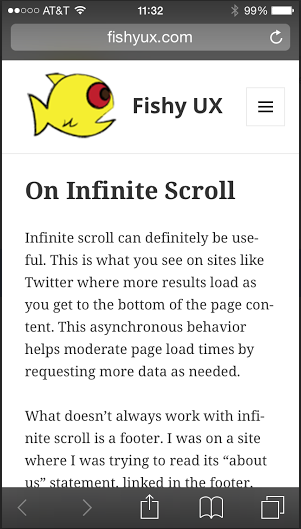
The desktop version of Safari uses a “plus” icon for adding bookmarks, an icon not found in the mobile interface.

screen shot of the Safari browser in iPhone
Safari mobile browser

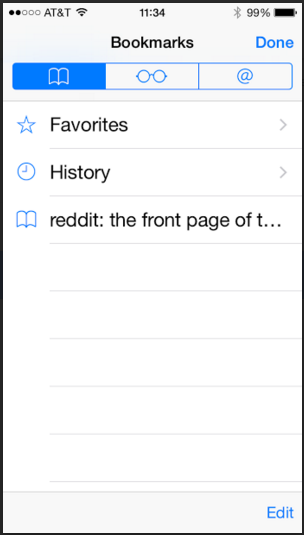
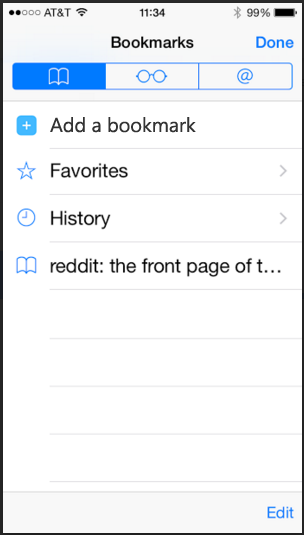
This left me wondering which icon to use. My instinct was to tap the “book” icon. This icon shows the list of current bookmarks only, and does not include an option to add the current page as a bookmark.

screen shot of the bookmarks screen in Safari mobile
Safari mobile bookmarks screen

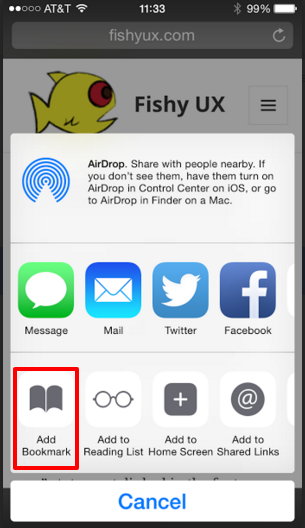
Turns out you have to tap what I’ll call the “export” icon to get to the option to save a page as a bookmark. This option uses the same “book” icon as the menu bar, which I find confusing.

screen shot of the Safari mobile screen that allows you to add a bookmark
Safari mobile add bookmark

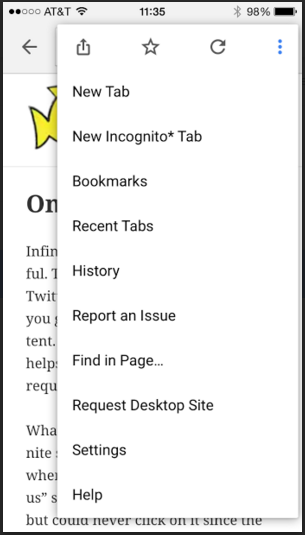
Compare this to Chrome which uses the typical “star” icon for adding a favorite, located in the browser menu, and provides a “Bookmarks” link to view existing ones all in one place.

Screen shot of the Chrome mobile browser menu
Chrome mobile browser menu

Design Recommendations

The iOS UI patterns on iPhone seem to limit the number of icons on the bottom menu bar to five, which makes adding a “plus” icon just for bookmarks unlikely. Instead, I’d include an option to add a bookmark from the “Bookmarks” screen for those of us whose instinct is to click the “book” icon.

Updated screen shot of the bookmarks page with the option to add a bookmark
Safari mobile mock up for adding a bookmark